
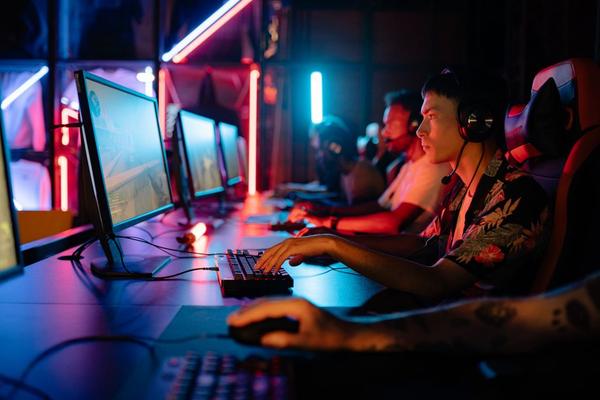
Competitive gaming rewards consistency more than flashy specifications. A monitor cannot improve your aim by itself, but it can reduce display delay, make moving targets easier to track and keep fast camera movement clearer. For UK players, the best gaming monitor for competitive gaming is therefore the one that matches the frame rates your PC can actually sustain, not simply the model with the biggest number on the box.
For Counter-Strike 2, Valorant, Overwatch 2 and similar esports titles, 24 to 27 inches remains the practical sweet spot. At the extreme end, 500Hz and 600Hz monitors now exist, while 360Hz and 480Hz models offer a strong balance between speed, price and hardware demands. Resolution matters too: 1080p is easier to drive at very high frame rates, while 1440p gives a noticeably sharper image.
Best choices for competitive gaming in the UK
Best pure esports speed: BenQ ZOWIE XL2586X+
The ZOWIE XL2586X+ is aimed at players who care more about motion clarity and responsiveness than cinematic image quality. It uses a 24.1-inch Fast TN panel with 1920×1080 resolution and a refresh rate of up to 600Hz. Its DyAc 2 motion-clarity technology is another reason competitive players may prefer it over a more visually impressive OLED.
The trade-off is simple: TN does not offer OLED-level contrast or colour, and getting meaningful value from 600Hz requires a system capable of producing extremely high, stable frame rates. For a dedicated esports monitor in the UK, however, it is one of the most focused choices available.
Best premium all-round choice: Samsung Odyssey OLED G6
Samsung’s 27-inch Odyssey OLED G6 is a strong option for players who want esports speed without accepting 1080p image quality. It combines 2560×1440 resolution with a maximum 500Hz refresh rate and a manufacturer-rated 0.03ms grey-to-grey response time. OLED’s near-instant pixel transitions also help fast motion look exceptionally clean.
This is the more flexible choice if your PC is used for both competitive multiplayer and visually rich games. QHD looks sharper for everyday use, while 500Hz leaves huge headroom for high-frame-rate titles. The main considerations are price, the extra GPU demand of 1440p and OLED care. Samsung states that burn-in under normal usage is covered by the UK warranty for this model.
Best 480Hz OLED alternative: LG UltraGear 27GX790A
LG’s 27GX790A combines a 27-inch QHD OLED panel, 480Hz refresh rate and a rated 0.03ms response time. It supports NVIDIA G-SYNC Compatible, AMD FreeSync Premium Pro and VESA AdaptiveSync, making it well suited to powerful PCs where frame rate sometimes falls below the panel’s maximum refresh rate.
The difference between 480Hz and 500Hz is much smaller than the jump from 144Hz to either. If the LG is meaningfully cheaper from a reputable UK retailer, it may be the better-value high refresh rate monitor. At this level, warranty, pricing and the games you actually play matter more than a small headline-spec advantage.
How much refresh rate do you really need?
A 144Hz monitor refreshes roughly every 6.9 milliseconds, 240Hz every 4.2 milliseconds, 360Hz every 2.8 milliseconds and 500Hz every 2 milliseconds. These figures are not total system latency, but they show why gains become progressively smaller as refresh rates rise. The move from 60Hz to 144Hz is dramatic; the move from 500Hz to 600Hz is far subtler.
Consider a practical example. If you play Valorant at 500 to 700fps on a strong CPU and GPU, a 500Hz or 600Hz monitor can make sense. If your system usually produces 180 to 250fps, a good 240Hz or 360Hz model is the smarter buy. Stable frame times usually matter more than owning a display whose maximum refresh rate your PC rarely reaches.
Response time, panel type and resolution
Do not judge a low response time monitor by a single advertised number. Pixel response time describes how quickly pixels change state, while input lag describes how quickly the display reacts to a signal. OLED panels generally have extremely fast pixel transitions. Fast TN remains popular in esports because it is tuned around high refresh rates and motion clarity. IPS is a sensible middle ground at 240Hz or 360Hz if you want strong colour without OLED pricing.
Choose 1080p when maximum frame rate is the priority and you mainly play competitive shooters. It reduces GPU load and works naturally at 24 to 25 inches. Choose 1440p if you have a powerful PC and want one screen for esports, everyday use and other games. At 27 inches, QHD looks much sharper and no longer requires giving up elite refresh rates.
What features are worth paying for?
Adaptive sync is useful when your frame rate moves around, while a height-adjustable stand helps maintain a consistent viewing position. Check that DisplayPort or HDMI can carry the refresh rate you intend to use and that your graphics card supports that mode. Good overdrive tuning and motion-blur reduction can matter more than HDR on a dedicated competitive gaming monitor.
UK buyers should also consider warranty and retailer support. Ultra-high-refresh OLED and specialist TN monitors are premium products, so a small saving from an unfamiliar seller may not be worth weaker after-sales support. Check the manufacturer’s UK warranty terms and confirm that the advertised refresh rate works at the resolution and connection you plan to use.
FAQ
Is 240Hz enough for competitive gaming?
Yes. A well-tuned 240Hz monitor is fast enough for serious competitive play and is often the best value for players whose PCs cannot maintain more than 240fps. Higher refresh rates can improve motion clarity further, but the gains become smaller as refresh rate rises.
Is 500Hz or 600Hz worth it?
It can be for dedicated esports players who run lightweight competitive games at several hundred frames per second. For most people, investing in a faster CPU, GPU or a balanced 360Hz display may produce more noticeable overall benefits.
Is OLED better than TN for competitive gaming?
OLED offers exceptionally fast pixel response, excellent contrast and much better image quality. Fast TN can still be preferable for players focused purely on esports motion clarity, especially when paired with specialised blur-reduction technology.
Should I buy 1080p or 1440p?
Choose 1080p for the easiest route to extremely high frame rates. Choose 1440p if your hardware is powerful enough and you want sharper visuals for general use without sacrificing a high refresh rate.
Final verdict
For a dedicated competitive setup, the ZOWIE XL2586X+ is the specialist pick because its 600Hz Fast TN panel is built around esports performance. The Samsung Odyssey OLED G6 is the stronger premium all-rounder, combining 500Hz speed with a sharper QHD OLED image, while the LG UltraGear 27GX790A is an excellent 480Hz alternative when pricing is better.
The smartest purchase is the monitor your PC can feed consistently. A stable 240Hz or 360Hz setup can feel better than an expensive 500Hz screen running far below its potential. Match refresh rate to your real frame rates, choose the resolution that suits your games, and prioritise motion clarity, connectivity and dependable UK warranty support.