
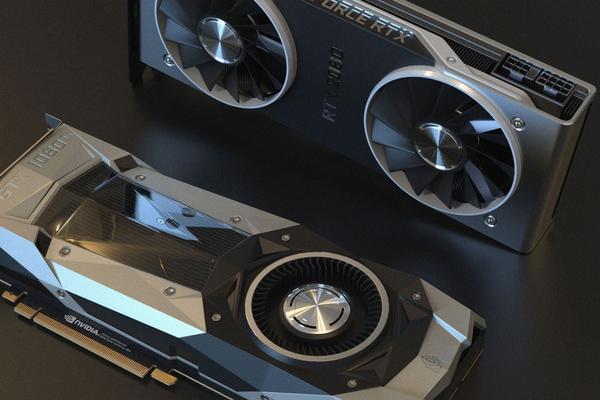
Ray tracing is one of those graphics settings that looks impressive in a trailer but can be difficult to judge once you are actually playing. A game review might praise its reflections while a performance chart shows a significant frame-rate drop. So what is ray tracing in games, and should you turn it on? It is a rendering technique that simulates how light travels through a scene, helping games produce more convincing reflections, shadows and lighting. Whether it matters depends on which effects a game uses, your hardware and how much smoothness you are willing to trade for visual detail.
What Ray Tracing Changes on Your Screen
Traditional real-time gaming graphics largely rely on rasterization, which turns three-dimensional objects into pixels and uses clever shortcuts to approximate lighting. These techniques are fast and often look excellent. Ray tracing adds calculations that follow simulated light rays as they interact with surfaces. Rather than relying entirely on approximations, a game can determine more accurately what should appear in a reflection or how light should reach a shadowed corner.
Most modern games use hybrid rendering: familiar rasterization handles much of the scene, while ray tracing improves selected effects. This distinction matters because a game’s “ray tracing” toggle does not necessarily mean every light, shadow and reflection is ray-traced.
Reflections That Include More of the World
Consider walking past a glass office in Control. With traditional screen-space reflections, the game can reuse information already visible on your screen. When an object moves outside the camera view, its reflection may disappear or become incomplete. Ray-traced reflections can use scene information beyond the current screen view, making glass, polished floors and puddles reflect surrounding objects more consistently.
That difference is striking in reflective environments, but less obvious in a dusty desert or a room full of matte surfaces. Better gaming graphics do not always mean a noticeable improvement in every scene.
Shadows With More Natural Edges
Ray-traced shadows can respond more convincingly to a light’s size and position. A small light source may create sharper edges, while a larger source produces softer transitions. Depending on the implementation, fine details such as chair legs and objects close to the ground can appear more firmly connected to their surroundings.
Light That Bounces Between Surfaces
Ray-traced global illumination models indirect light: sunlight entering through a window can brighten nearby walls, and a colored surface can subtly tint its surroundings. This can be more transformative than reflections because it changes the mood of entire rooms. However, developers can also create beautiful lighting without ray tracing using baked illumination and other established techniques.
Why Ray Tracing Can Reduce Frame Rates
The drawback is extra work for the graphics processor. Tracing rays through a complex scene, checking intersections and cleaning up noisy results consumes processing time. More rays, higher resolution and demanding lighting effects can increase that cost. Even GPUs with dedicated ray-tracing hardware have limits, particularly in visually dense scenes.
Ray tracing performance therefore cannot be summarized by one universal percentage. Two games may use the same label while tracing very different effects. A reflections-only setting could behave differently from ray-traced global illumination, and full path tracing is generally more demanding still. Path tracing simulates many light interactions across the scene and aims for more consistent lighting, but it requires substantial computing resources and reconstruction techniques.
For perspective, a stable frame rate matters most during fast camera movements, aiming and competitive play. An attractive reflection is less useful if enabling it makes steering, tracking or combat feel sluggish. Frame-time consistency matters alongside average frames per second.
Does RTX Gaming Mean the Same Thing as Ray Tracing?
No. RTX is NVIDIA’s branding for a family of graphics technologies and compatible hardware. Ray tracing itself is a rendering technique used across different platforms. Supported AMD Radeon and Intel Arc graphics cards can also accelerate ray tracing, and certain console games offer ray-traced effects. The result depends on the specific game, hardware and graphics mode.
Upscaling is another separate concept. NVIDIA DLSS, AMD FSR and Intel XeSS can help performance in supported games by reconstructing a higher-resolution image from a lower-resolution render. Some systems also offer frame generation. These features can make demanding lighting settings more practical, but support and image quality vary, and generated frames do not replace the need for responsive underlying gameplay.
How to Decide Whether to Enable It
Begin with the game you play, not the feature’s reputation. In a slow, atmospheric adventure filled with neon signs, windows and dramatic indoor lighting, ray tracing may substantially improve the presentation. In a competitive shooter where quick reactions matter, higher and steadier frame rates may provide greater value than subtle changes to shadows.
Try this simple comparison instead of trusting screenshots alone. Visit the same reflective or strongly lit location, keep resolution and other settings unchanged, and compare ray tracing off with its lowest available setting. Move the camera: watch whether reflected objects vanish at screen edges, whether light reaches corners naturally, and whether shadows remain consistent. Then check both average FPS and noticeable stutter during movement.
If you like the result, raise one ray-traced effect at a time where the game allows it. Reflections may be worthwhile while advanced indirect lighting is too expensive, or vice versa. Use a suitable upscaling quality mode if needed, but inspect fine details for softness, shimmer or ghosting. If performance still misses your comfort level, turning ray tracing off is a reasonable choice.
It also helps to understand the difference between a game’s graphics presets and its actual workload. Our guide to graphics settings for PC games can provide a useful starting point, while a guide to choosing a gaming GPU can help you assess hardware expectations. For competitive players, a separate explanation of FPS and frame times puts those numbers into context.
Frequently Asked Questions
Is Ray Tracing Better Than Normal Graphics?
It can make particular lighting effects more accurate, but conventional rendering is not automatically inferior. Art direction, textures, animation and thoughtful lighting often influence the overall impression more than one technical setting.
Do I Need an NVIDIA RTX Card for Ray Tracing?
No. Other supported PC GPUs and some game-console modes offer hardware-accelerated ray tracing. You still need a compatible game and enough performance for the chosen settings.
Does Ray Tracing Improve Gameplay?
Usually it changes visual presentation rather than game mechanics. More convincing lighting may improve atmosphere or spatial cues, but a lower frame rate can make controls feel less responsive.
Should I Use Ray Tracing at 1080p?
It can be worthwhile at 1080p if the effect is visible and frame rates stay comfortable. Resolution alone does not decide the answer; GPU capability, game implementation and the chosen effects matter more.
So, Is Ray Tracing Worth It?
Ray tracing is best treated as a visual option, not a badge of quality. It matters most when the game’s design gives reflections, shadows or bounced light room to shine. Test the effect while moving through a representative scene, compare the smoothness and keep whichever setting improves your actual experience. The right choice is the one you notice while playing, not merely the one that sounds most advanced.