
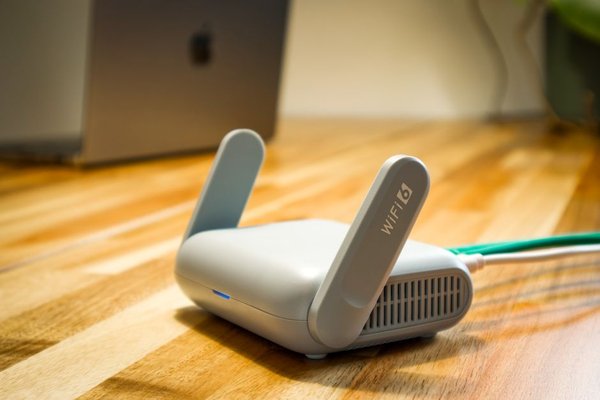
When a bedroom gets weak Wi-Fi but the living room works perfectly, adding another wireless device seems like the obvious fix. The tricky part is choosing the right one. A Wi-Fi extender and a wireless access point both fill coverage gaps, but they carry data back to your router in different ways.
An extender is often easiest when you cannot run cable. A wired access point is generally stronger when you need consistent performance in a busy room or across another floor. Understanding this distinction prevents upgrades that barely improve your connection.
The main difference: wireless relay or wired backhaul
How a Wi-Fi extender connects
A typical Wi-Fi extender receives your router’s wireless signal and retransmits it for devices farther away. It plugs into a wall socket and usually needs no network cable. Ideally, it sits between the router and the weak-coverage room, where the incoming signal remains healthy.
Extenders are also called repeaters or, less precisely, boosters. They do not increase the speed supplied by your internet provider. If the connection they receive is weak or congested, the repeated connection will struggle too.
How a wireless access point connects
An access point connects to the router or an Ethernet switch by cable, then broadcasts Wi-Fi for nearby devices. That cable is the backhaul: the route data takes between the access point and the network.
Because its backhaul is wired, the access point does not spend client-facing wireless airtime repeating traffic to the router. Ethernet backhaul is therefore especially useful for reliable home Wi-Fi coverage.
Speed, latency, and everyday performance
Why wireless extenders can be slower
A repeater must communicate with the router and your devices. When it uses the same radio and channel for both jobs, the relay consumes extra airtime and can substantially reduce useful throughput. You may hear that extenders always halve speed, but that is not universal. Radio design, frequency bands, signal quality, and interference affect the result.
An access point with Ethernet backhaul avoids this wireless relay penalty. Its speed still depends on its Ethernet port, Wi-Fi standard, interference, client devices, and internet plan. Nevertheless, it typically serves several simultaneous users more predictably.
Why strong bars may not mean fast internet
Your phone might display full bars beside an extender while video calls freeze. It measures its connection to the extender, not necessarily the extender’s connection to the router. Another wireless hop also creates another chance for interference and delay.
A wired access point generally provides a more dependable upstream path, making it attractive for home offices and gaming. Neither device can repair an unstable broadband service.
Roaming between rooms
Some extenders create a separate Wi-Fi name; others can reuse the original. Access points can also share an SSID and password with the router. Matching names does not guarantee seamless roaming, however. Phones often decide when to switch, and coordinated roaming features depend on compatible equipment.
If devices stubbornly cling to distant Wi-Fi, look into improving Wi-Fi roaming at home before installing several additional units.
Installation and placement change the answer
Extenders tend to be simple to install, often through an app or pairing button. Placement matters more than convenience suggests. Put one in a dead zone and it has almost nothing useful to repeat. An outlet closer to the router, where reception is solid, usually works better.
Access points require a network cable and power. Some support Power over Ethernet; others need an adapter. Cabling takes effort, but lets you position the access point where coverage is required rather than where the original Wi-Fi reaches.
First consider finding the best router placement. Moving the router from a cabinet to a central, open location can solve a small dead spot without purchasing anything.
Example: fixing an upstairs home office
Suppose your router sits downstairs by the entrance. The upstairs office suffers dropped video calls, while the landing receives reasonable Wi-Fi. If you rent and cannot run Ethernet, try an extender on the landing. Test from the office during a busy evening, comparing upload speed and call stability, not just signal bars.
Now imagine the office already has an Ethernet wall socket connected to the router. An access point in the office is the clearer choice. It uses the cable for backhaul and provides local Wi-Fi without depending on the weak signal through the floor.
The cheapest device is not always best value. An extender may be sufficient for occasional browsing, while reliable meetings can justify cabling and an access point.
Can a Wi-Fi extender also be an access point?
Some models support both modes. A compatible extender can switch to access point mode and receive its network connection over Ethernet. But an Ethernet socket alone does not guarantee that feature; sometimes the port serves only a wired client. Check the manufacturer’s specifications.
Certain spare routers also offer access point mode, which disables their normal routing functions and avoids creating an unnecessary second routed network. For larger properties, comparing mesh Wi-Fi versus traditional routers can help too: mesh systems may use wireless or wired backhaul.
Which option should you choose?
Choose an extender for one modest coverage gap when the signal is strong at an intermediate location and cabling is impractical. It can be a useful budget fix for browsing, messaging, and occasional streaming.
Choose a wired access point when Ethernet is available, several devices share a room, or stable calls, gaming, and streaming matter. Multiple strategically placed access points may serve a large house better than a chain of wireless repeaters.
Judge both options by performance in the troublesome room under normal household conditions, rather than advertised range figures.
Frequently asked questions
Is an access point better than a Wi-Fi extender?
For sustained performance, a wired access point is usually better because it avoids a wireless relay link. An extender remains practical when installing Ethernet is difficult.
What is the difference between an access point and a repeater?
In an access point vs repeater comparison, the typical access point connects upstream through Ethernet, while the repeater receives and retransmits Wi-Fi. Some products offer both modes.
Will an extender make my internet faster?
It may improve usable speeds in an area with weak reception, but cannot increase the speed of your internet service. Its wireless link can become a bottleneck.
Can two access points use the same Wi-Fi name?
Yes. They can share an SSID, security settings, and password. Smooth handoffs still depend on client behavior, signal overlap, and supported roaming features.
The bottom line
The real choice is how the additional Wi-Fi location connects back to your network. An extender offers a straightforward cable-free workaround; a wired access point supplies a sturdier foundation for busy rooms. Match the connection method to your layout, cabling options, and daily needs.